
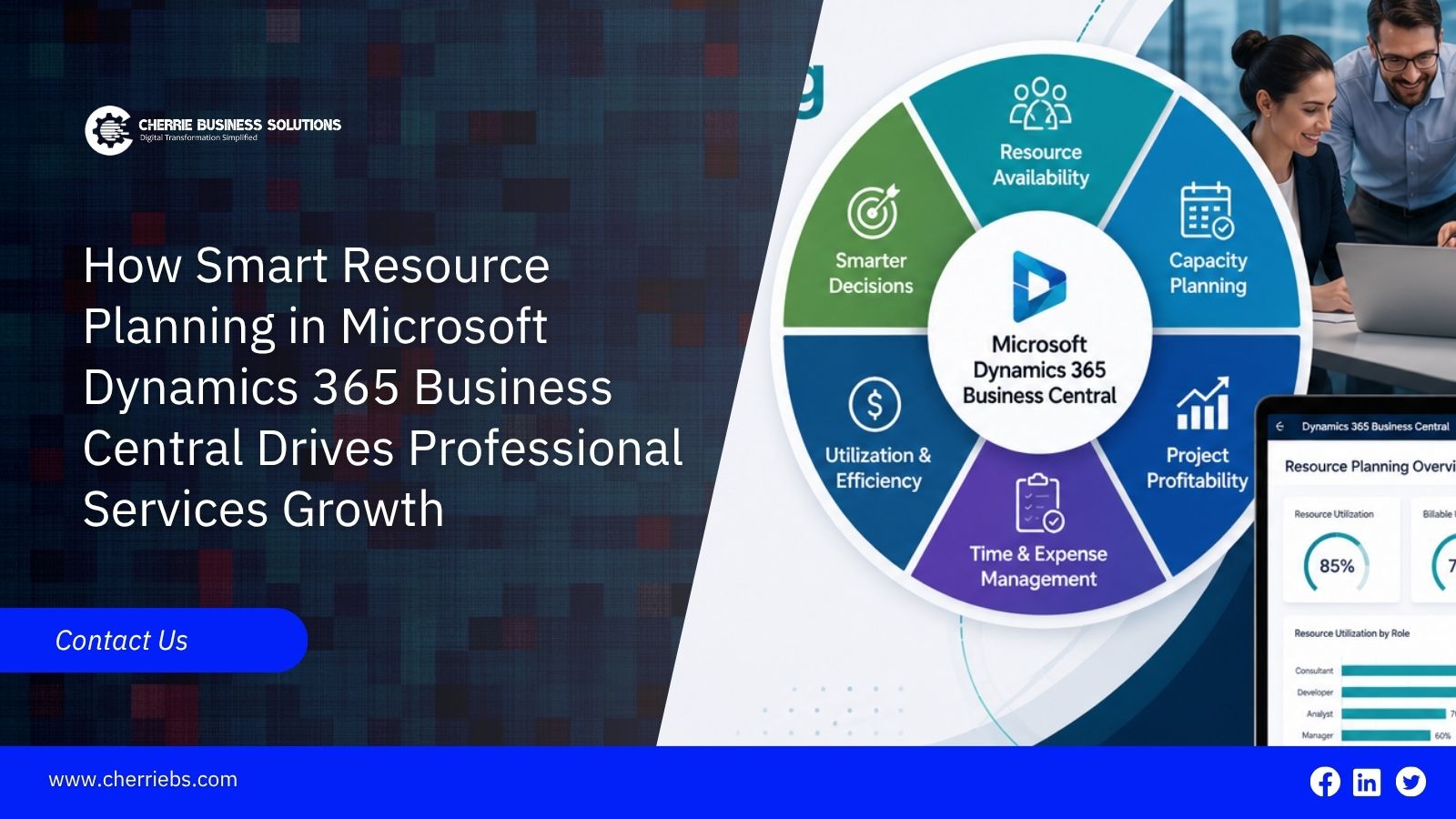
Professional services firms sell human skill and knowledge as their main product. Managing this type of business is incredibly complex because human time is a limited resource. When project managers cannot clearly see who is working on what task, project delivery slows down and invoices get delayed.
Microsoft Dynamics 365 Business Central provides a structured digital environment to manage these daily operations. As a comprehensive Dynamics 365 ERP, it connects your team schedules directly to your financial ledger. Instead of relying on disconnected spreadsheets and endless email chains, service businesses gain clear data to deploy their staff effectively. Let us look at how the resource planning features inside this software organize human talent to support long-term business growth.
The first step in running a profitable service business is knowing the true availability of your team.
Helps Map Out Team Availability to Prevent Employee Burnout
In a busy consulting firm, booking an already overworked employee leads to rapid burnout and high turnover. At the same time, leaving another skilled employee sitting at their desk with no work wastes company money. Most project managers try to balance this using a whiteboard or a shared spreadsheet, but those tools become outdated the minute someone calls in sick.
Microsoft Dynamics 365 Business Central resolves this balancing act by providing a live, unified resource calendar. During the initial software setup, you define the standard working hours for each person and factor in their approved holidays. The system then calculates their actual availability for the upcoming weeks.
If a project manager operating out of a Dubai branch office tries to assign a forty-hour consulting task to a financial analyst who only has twelve open hours that week, the system flags the schedule conflict immediately. This visual clarity prevents scheduling disasters before they ever reach the client. It keeps your projects running smoothly and ensures your staff maintains a healthy workload.
Knowing who has free time is important, but you also need to make sure they have the right background for the job.
The ERP Helps in Matching the Right Consultant Skills to Specific Client Demands
Assigning a task to an available employee is not enough to guarantee a successful project. You must assign the task to a fully qualified employee. If a client needs a complex security audit, sending a junior specialist may frustrate the client and severely damage your company's reputation.
The Microsoft Dynamics 365 ERP allows your management team to build detailed profiles for every employee. You can attach specific skill tags, educational degrees, and technical certifications directly to their resource card in the database.
When a new project contract lands on a desk, the project manager can search the software for available staff who hold the required credentials. For example, if an IT consulting firm needs a software developer who knows a specific coding language for a new regional contract, the resource planning module filters the team list. It shows only the consultants with that specific technical skill. Matching the right talent to the right job ensures high-quality delivery for the client and a much faster project completion time.
After matching the right people to the right jobs, you need a highly reliable way to capture the time they spend working.
Integrates Timesheets Directly With Accounting for Faster Billing
Collecting weekly timesheets from consultants is historically a frustrating process for administrative staff. When employees delay entering their hours, or write them down incorrectly on paper, the finance team cannot send accurate invoices to the clients on time. This creates a problem that slows down the cash flow of the entire company.
Business Central removes this hurdle by integrating digital timesheets directly into the main accounting ledger. Consultants working on site or traveling to client offices can enter their daily working hours directly from their mobile phones, tablets, or laptops. They link their time entries straight to the specific client project and the assigned task code.
The moment a project manager approves that digital timesheet, those hours flow directly into the invoicing module. Your accounting team no longer has to hunt down missing spreadsheets or manually type written hours into the billing software. The billing cycle speeds up significantly, putting cash into the company bank account much faster.
Getting paid faster is a great operational win, but you also need to know if those billed hours are actually generating a profit.
Track Ongoing Project Costs to Protect Your Profit Margins
Selling professional services means estimating how long a project will take and hoping your team finishes within that planned budget. If a structural engineering project estimated for fifty hours ends up taking ninety hours to complete, your profit margin completely disappears. You end up working for free.
Microsoft Dynamics 365 ERP uses a tracking feature called Job Planning Lines to monitor this delicate balance of time and money. As your consultants log their daily time and submit their travel expenses, the system compares those actual numbers against your original project estimate in real time.
Project managers can open a visual dashboard and see immediately if a specific client task is going over budget. Catching these cost overruns early is incredibly valuable. It gives your leadership team the chance to pause the work, speak with the client about unexpected challenges, or adjust the project scope before the company loses a significant amount of money.
Protecting current projects secures your daily income, but analyzing how your team spends their time is what guides your long-term expansion.
Monitors Staff Utilization Rates to Guide Future Hiring Decisions
To grow a professional services firm safely, the management team must thoroughly understand resource utilization. Utilization is simply the percentage of time an employee spends on billable client work compared to internal administrative tasks or training. If you hire too many people too soon, your payroll costs will sink the business. If you hire too late, you have to turn down good client projects.
The resource planning tools inside Business Central automatically calculate these utilization rates for every individual employee, every department, and the company as a whole.
If your monthly reports show that your senior network engineers are operating at ninety-five percent billable capacity for three months straight, it is a clear data-driven signal that you need to hire more engineering staff immediately. Conversely, if a specific department shows very low utilization, you know exactly where to focus your marketing and sales efforts to bring in more work. Relying on concrete utilization data instead of gut feelings makes scaling your business much safer and more predictable.
Partnering With an Authorized Microsoft Specialist Like Cherrie Business Solutions
Implementing a resource planning software is a major step toward better profitability for your services firm. When you stop depending on disconnected spreadsheets and start using Microsoft Dynamics 365 ERP, your company gains the digital structure it needs to scale up safely. You can schedule staff accurately, capture every billable minute without manual data entry, and deliver client projects on time.
However, configuring a system to track time, costs, and skills correctly requires practical industry knowledge. The project accounting rules and resource tags must be built to match your specific consulting model. At Cherrie Business Solutions, we specialize in helping professional services firms implement this powerful technology securely. We work closely with your project managers and finance department to align the software with your daily operations. Contact our experts today to build a smarter resource planning strategy for your entire team.