
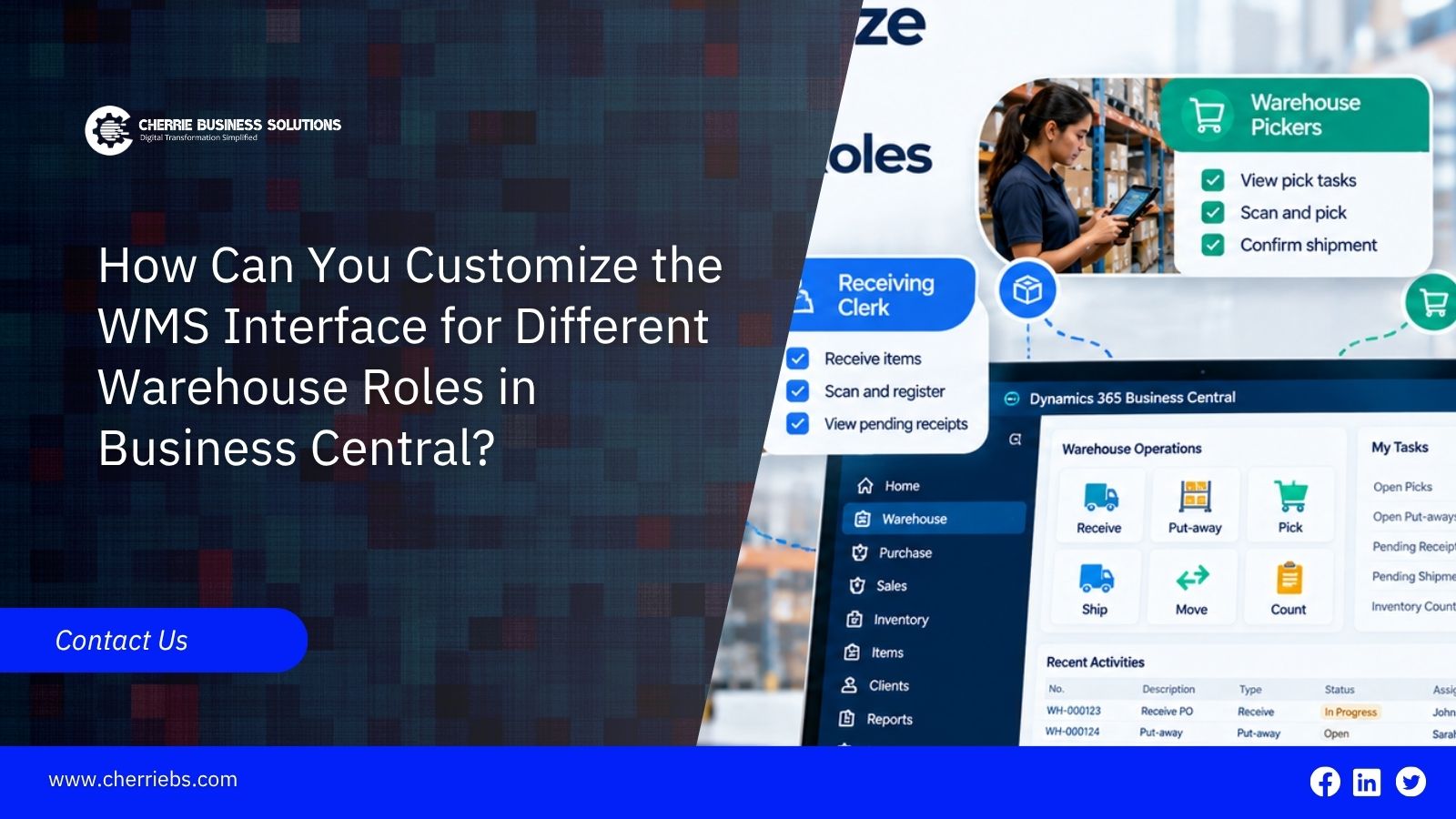
Walk through any warehouse, and you’ll quickly notice that no two people have the same responsibilities. The person unloading a delivery is focused on different tasks than the employee picking orders. Meanwhile, a supervisor needs a broader view of warehouse activity rather than focusing on a single bin or shipment.
Once a warehouse management system enters the picture, that difference starts to matter. A screen packed with every available option sounds generous. During a busy shift, though, it's just hard to use. A picker mostly wants the item, the quantity, and the bin. Finding past information meant for supervisors or other departments costs them time they don't have.
Business Central has a few ways to build the experience around roles. Profiles and Role Centers give each user a starting point that suits their work. Page customization and personalization change what appears on the pages people use daily. Permissions are a separate layer, and they make sure users can only get to what their jobs require.
Nobody's trying to make every screen look different here. The point is to make the information each person needs easy to find.
How Role-Based WMS Interfaces Improve Warehouse Efficiency
Think about a picker in the middle of a hectic afternoon. They find the product, confirm the quantity, locate the bin, and move to the next line. Every function they never use, sitting on the screen anyway, is just in the way.
A leaner interface makes that loop smoother. What people check constantly stays in plain view, and the rest steps back.
Other roles work the same way. A receiving clerk spends most of the day on inbound stock, while a supervisor is more likely to look at open warehouse work and how shipments are moving. They're both in Business Central, yet what they need from it is quite different.
New hires benefit too. Nobody should have to learn every feature on their first day. Let them begin with the pages tied to their own tasks, and the rest can come later.
Key Warehouse Roles That Typically Need Different Views
There's no layout that fits every warehouse. Much depends on how the work is split up in your operation.
Receiving staff care about what's arriving. Purchase receipts, quantities, put-away work, and incoming items matter to them, and outbound shipping details mostly don't.
Pickers and put-away staff have a narrower set of tasks. Item numbers, quantities, bin locations, and the warehouse picks or other tasks assigned to them cover most of it.
At the other end, shipping staff may need to check warehouse shipments, picked quantities, and packing details, plus whether an order is actually ready to leave.
Supervisors want the broad view: open tasks, picking progress, inventory issues, and shipment status across the whole warehouse.
Business Central supports different picking methods. In more advanced setups, employees can work from warehouse pick documents, and the Pick Worksheet can retrieve warehouse documents for processing. A pick can also be linked to a specific warehouse employee.
So the takeaway is pretty plain. These people do different work, and putting them all in one workspace doesn't make much sense.
Role Centers in Business Central
The Role Center is the first thing a user sees after opening Business Central. It collects relevant activities, links, and information, which gives them a sensible place to start the day.
Each one is tied to a profile, which the interface also calls a role. Administrators assign profiles based on a person's responsibilities. Set them up well, and a warehouse supervisor and another warehouse employee will open the system to two different experiences.
One point gets misunderstood a lot. Business Central doesn't look at someone's job title and build a dashboard from it. What the user sees comes from the profile and how it's been configured.
A supervisor might get a wider workspace with more operational detail. Someone who mostly handles picking could get a much smaller set of activities.
Personalizing Pages for Warehouse Staff
A Role Center only gets people started. Most of the working day happens inside lists, cards, and warehouse documents, and you can adjust those pages as well.
Users can personalize their own workspace. Depending on the page, they can move, hide, or show fields and actions, and the changes affect only their own view.
If a whole team needs the same layout, administrators can customize pages for a profile instead. Everyone assigned to that profile then gets the same result.
Say a picking team almost never touches several columns on one list. Those columns shouldn't take up half the screen. The item number, quantity, or location field they check all shift; on the other hand, should be hard to miss.
Good customization isn't about hiding as much as possible. It's about putting useful information where people expect it.
Configuring Warehouse Activities and Document Views
A better-looking screen won't rescue a warehouse process that was never set up properly.
The warehouse functions in Business Central have to reflect how your warehouse really operates. Where locations use warehouse picks, employees can work from the picks assigned to them, and the Pick Worksheet is there to retrieve warehouse documents for processing. In bin-based warehouses, bin information shows employees where to take items from or where to put them.
Picture one team handling receiving and another handling picking. Why would both teams wade through the same pile of daily tasks just because they share an ERP system?
Inventory movements and other internal warehouse activities follow the same principle. When the physical process and the system process match closely, people know what they're supposed to do next.
That's why interface design belongs alongside the warehouse setup, not after it. The two have to be planned together.
Using Permission Sets to Control Access by Role
Hiding something and blocking access to it are two separate things.
Business Central controls access to application objects and business data through permissions and permission sets. Those should reflect what each user or group is responsible for. A warehouse employee might need picking and warehouse information, but there's no reason for them to open purchasing or financial functions.
This is also why you shouldn't treat interface customization as security. Hiding a menu or a field can make a page easier to use, but proper permissions are still required.
A well-configured implementation covers both sides. The interface keeps people focused on their own work, while permission sets decide what they can actually reach.
Considering Mobile and Handheld Warehouse Workflows
Plenty of warehouse staff aren't at a desktop for their whole shift. Depending on the operation, they could be using shared terminals, handhelds, barcode scanners, or other equipment.
That changes what a useful interface looks like. Someone standing in an aisle has to read the screen at a glance. Item identification, quantity, bin information, and the next action matter far more at that moment than a page crowded with extra detail.
Exactly how the handheld experience works depends on your Business Central environment, the devices in use, and any warehouse extensions or integrations in the implementation. Mobile requirements should be part of the process design early.
Best Practices for Setting Up Role-Based WMS Views
Begin with the warehouse process:
Study how receiving, put-away, picking, packing, and shipping happen day to day. Notice where people stop, what they check, and which steps slow them down. Sometimes the field employees lean on most isn't the one managers expected to matter.
Get the daily users involved too. Ask which pages they open over and over, and what they end up searching for. Ask, too, what they need to know before moving on to the next physical task.
Go slowly with changes. A page doesn't get better just because it has fewer fields. Removing something people rely on frustrates them as much as adding information they don't need.
Come back and review the setup once people have used it for a while. When the new process feels familiar, small problems tend to surface that nobody caught in testing.
In most cases, the best interface is the one that fits how the warehouse already works, instead of forcing people to change their workflow for the software's sake.
Conclusion
Microsoft Dynamics 365 Business Central doesn't lock your entire team into a single, rigid layout. Profiles and Role Centers give each department a logical starting point. Page customization cleans up the screens they use most, while permission sets keep your data secure behind the scenes.
It's about using all those features in combination with the warehouse process. Once a picker has found what they need to pick, they won’t waste time searching. The receiver working person should be able to concentrate on the incoming work. There should be enough evidence for a supervisor to see and know what needs attention.
In this situation, WMS customization is moving beyond a superficial upgrade. It’s becoming a practical necessity for modern warehouse operations.
That is exactly where Cherrie Business Solutions comes in. Our team supports businesses in integrating Microsoft Dynamics 365 Business Central to support their day-to-day operations, roles, and warehouse functions. A successful rollout always starts by studying how your floor actually operates. Once we understand exactly how your team moves, we shape the software to match.